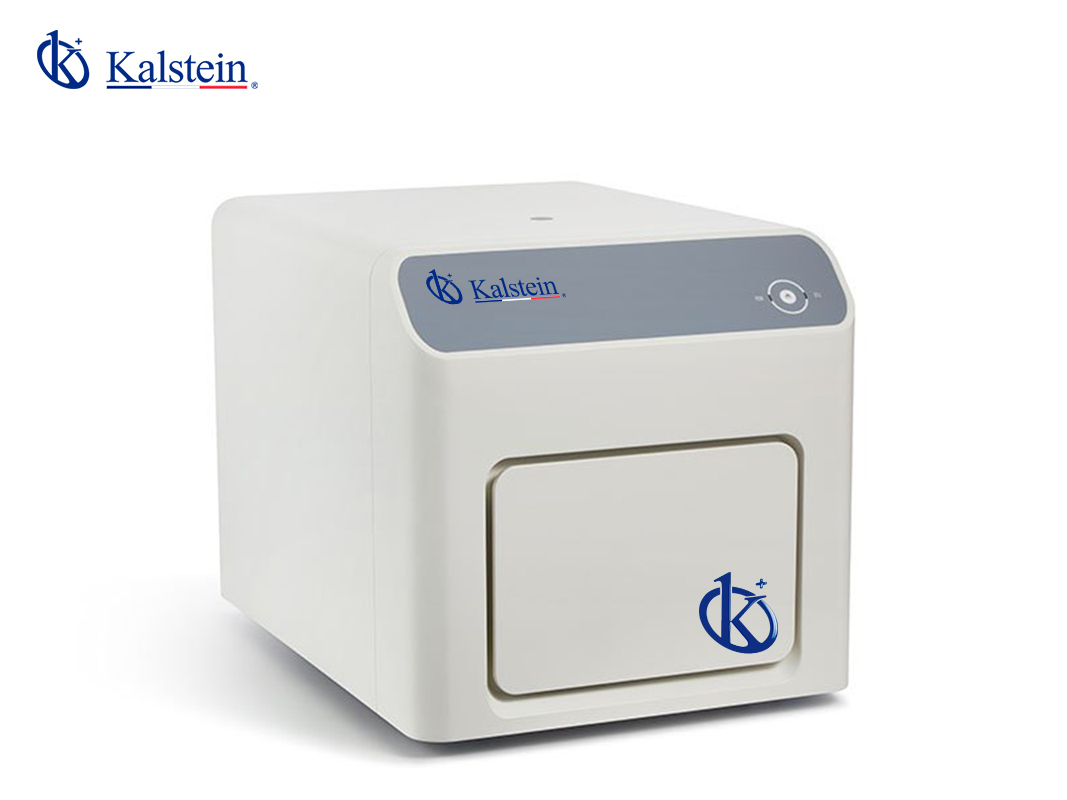
Common Errors and Troubleshooting by Symptoms for YR06248 Real-Time PCR System
The YR06248 Real-Time PCR System is an advanced tool designed for high-precision and sensitive PCR analyses. However, like any sophisticated laboratory equipment, it can encounter various operational issues. This article aims to address common errors and provide practical troubleshooting steps based on specific symptoms experienced during usage.
Understanding the YR06248 System
The YR06248 model is equipped with innovative signal detection technology and spectral separation capabilities. It ensures excellent multicolor crosstalk correction and precise temperature uniformity, crucial for detecting low quantities of genetic material. Its heating and cooling system operates on Peltier technology, with temperature ranges from 4°C to 100°C, making it reliable and reproducible for laboratory analyses.
Technical Specifications of the YR06248
| Feature | Specification |
|---|---|
| Model | YR06248 |
| Sample Capacity | 8*0.1mL PCR strip, 12*96*0.1mL individual tube, 0.1mL PCR Plate |
| Sample Volume | 10-50 μL |
| Heating and Cooling Method | Peltier |
| Maximum Ramping Rate | 6.0° C/s |
| Temperature Range | 4-100 °C |
| Temperature Accuracy | ± 0.2°C |
| Temperature Uniformity | ±0.2°C@60°C, ±0.3°C@95°C |
| Detection Channels | 4 (optional 5 channels) |
| Sensitivity | 1 copy of gene |
| Dynamic Range | 10 orders of magnitude |
Troubleshooting by Symptoms
Equipment Does Not Power On
If your YR06248 does not power on, check the following:
- Ensure that the power cable is securely connected to both the device and the power outlet.
- Check if there is power at the outlet by testing it with another device.
- Inspect the power cord for any visible damage.
Error Code E-03 Displayed
Error code E-03 often indicates a temperature-related issue. Follow these steps:
- Verify that the temperature settings are correctly configured.
- Check the Peltier system for any blockages or faults.
- Ensure that the device has been calibrated recently.
Inconsistent Readings
When the YR06248 provides inconsistent readings, consider the following:
- Check the quality and compatibility of the reagents used.
- Ensure that the optical system is clean and free from obstructions.
- Validate that the sample volume is accurate and within the specified range.
Frequent Overheating
If the system frequently overheats, you should:
- Ensure adequate airflow around the device.
- Check for any obstructions in the ventilation areas.
- Monitor the ambient temperature of the laboratory environment.
Common Symptom-Cause-Solution Matrix
| Symptom | Possible Cause | Recommended Solution |
|---|---|---|
| Equipment Does Not Power On | Power source issue | Check connections and test outlet |
| Error Code E-03 | Temperature calibration failure | Recalibrate or inspect Peltier system |
| Inconsistent Readings | Reagent issues or sample volume errors | Use quality reagents and verify volumes |
| Frequent Overheating | Poor ventilation | Ensure proper airflow and check temperature |
Frequently Asked Questions
What should I do if my YR06248 Real-Time PCR System shows an error code?
First, consult the user manual for the specific error code. Determine if it requires immediate action or if it is a minor issue. Follow the troubleshooting steps for that error, which typically include checking connections, calibrating the system, or inspecting for hardware problems.
How can I improve the accuracy of the YR06248 readings?
To enhance accuracy, ensure that your samples are properly prepared and that you are using high-quality reagents. Regular maintenance and calibration of the system are also crucial to maintain peak operational performance.
What maintenance is required for the YR06248 system?
The YR06248 requires regular cleaning of optical components, periodic calibration checks, and software updates to ensure optimal performance. Follow the manufacturer's guidelines for maintenance schedules.
Is the YR06248 compatible with different types of PCR reagents?
Yes, the YR06248 is compatible with a variety of PCR reagents, including FAM, SYBR Green, VIC, and ROX. This versatility allows for greater flexibility in experimental design.
What steps should I take if the YR06248 does not pass calibration?
If the system fails calibration, check the ambient temperature, ensure that the Peltier system is functioning properly, and verify that all optical components are clean and unobstructed. Re-attempt the calibration following the troubleshooting steps.
Can I request assistance for troubleshooting the YR06248?
Absolutely, you can request technical support or additional resources directly through your supplier. Many providers also offer comprehensive troubleshooting guides to assist users in resolving common issues.
Conclusion
If you are looking for a fusion of innovation and quality, you have come to the right place. At Kalstein, we offer you the luxury of exploring our exclusive catalog of laboratory equipment. We manufacture every device to the highest standards of excellence. Our intuitive and seamless online purchasing channels are designed for your convenience, securing the most competitive prices. Hesitate no longer — we bring science to life, it is time to become part of our community.