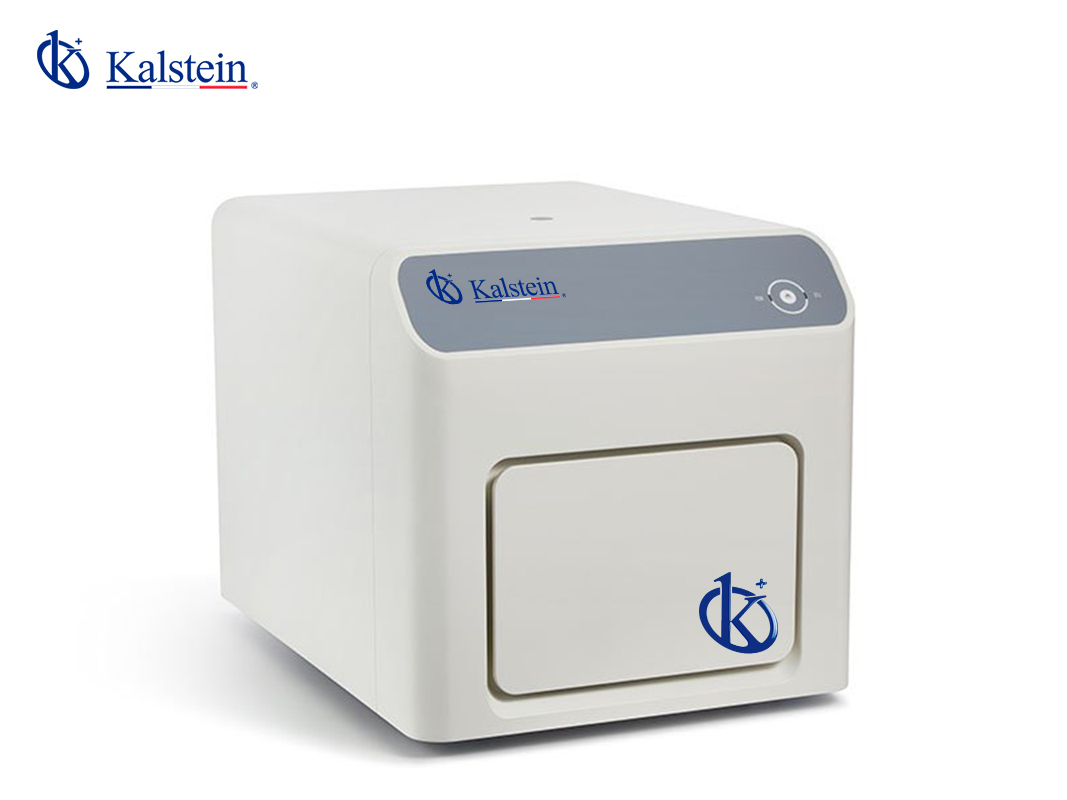
Common Errors and Troubleshooting Symptoms for the YR06248 Real-Time PCR System
The YR06248 Real-Time PCR System is a powerful tool for quantitative PCR analysis with high precision and sensitivity. However, like any sophisticated laboratory equipment, it can encounter issues that may affect its performance. Understanding common errors and their troubleshooting procedures is essential for maintaining optimal functionality and achieving accurate results. This article will dive deep into frequent symptoms, their probable causes, and practical solutions to ensure the seamless operation of the YR06248.
Understanding the YR06248 Real-Time PCR System
The YR06248 is designed to efficiently handle various PCR applications, enabling researchers to analyze genetic material with impressive sensitivity. Equipped with advanced signal detection technology and a wide temperature range, it can perform multiplex PCR, detecting multiple targets simultaneously. However, despite its capabilities, users may face various operational challenges. The following sections will address specific symptoms and their resolutions.
Technical Data Table for YR06248
| Model | YR06248 |
|---|---|
| Sample Capacity | 8*0.1mL PCR strip, 12*0.1mL individual tube, 0.1mL PCR Plate |
| Sample Volume | 10-50 μL |
| Heating and Cooling Method | Peltier |
| Temperature Range | 4-100 °C |
| Temperature Accuracy | ± 0.2°C |
| Sample Detection Method | Time-resolved real-time scanning |
Troubleshooting by Symptoms
Below are common symptoms encountered when operating the YR06248, along with their probable causes and solutions. This structured approach will assist users in diagnosing and correcting issues efficiently.
1. Equipment Does Not Power On
This issue can be frustrating, but it is crucial to check a few things: the power source, cable connections, and any circuit breakers that may have tripped.
- Probable Causes: Power cable not connected, faulty power outlet, blown fuse.
- Solutions: Verify all connections; try a different outlet; replace the fuse if necessary.
2. Error Code E-03
Error codes can be indicative of specific issues. E-03 often points to a temperature calibration error.
- Probable Causes: Sensor malfunction, incorrect temperature settings.
- Solutions: Recalibrate the temperature settings and verify sensor functionality.
3. Inconsistent Readings
Inconsistent assay results can occur due to several factors related to sample handling or instrument settings.
- Probable Causes: Improper sample preparation, contamination, or calibration errors.
- Solutions: Ensure proper sample handling techniques; regularly calibrate the device; check for any signs of contamination.
4. High Background Signal
A high background signal can obscure results and affect sensitivity.
- Probable Causes: Excess dye in reactions, improper settings.
- Solutions: Reduce dye concentrations; adjust settings to optimize signal detection.
5. Multiplexing Failures
Issues during multiplex assays can lead to low efficiency in detecting multiple targets.
- Probable Causes: Incompatible primers, suboptimal reaction conditions.
- Solutions: Re-evaluate primer compatibility and adjust reaction conditions accordingly.
Symptom-Cause-Solution Matrix
| Symptom | Probable Causes | Solutions |
|---|---|---|
| Equipment Does Not Power On | Power cable not connected, faulty power outlet, blown fuse | Check connections, try another outlet, replace fuse |
| Error Code E-03 | Sensor malfunction, incorrect temperature settings | Recalibrate, check sensors |
| Inconsistent Readings | Improper sample handling, contamination, calibration errors | Review sample prep, calibrate regularly, check for contamination |
| High Background Signal | Excess dye, improper settings | Reduce dye usage, optimize settings |
| Multiplexing Failures | Incompatible primers, suboptimal conditions | Reassess primer compatibility, adjust conditions |
Frequently Asked Questions
What is the sensitivity of the YR06248 Real-Time PCR System?
The sensitivity of the YR06248 is exceptional, capable of detecting down to a single copy of genetic material, making it suitable for low-concentration samples.
Is the YR06248 compatible with other PCR reagents?
Yes, the YR06248 is compatible with a wide range of PCR reagents and dyes, including FAM, SYBR Green, VIC, ROX, and Cy5, providing flexibility for multiplex PCR assays.
What routine maintenance is required for the YR06248?
Routine maintenance includes regular cleaning of optical components, calibration checks, and ensuring software updates are installed to maintain optimal performance.
How can temperature accuracy be ensured during PCR runs?
Temperature accuracy can be enhanced by performing periodic calibrations and employing high-quality reagents that are sensitive to temperature variations.
What should I do if I encounter persistent errors?
If errors persist, consult the user manual for specific troubleshooting steps or contact technical support for further assistance.
How can I request a quote for the YR06248?
You can request a quote through our exclusive platform and enjoy competitive pricing and specialized support.
If you are looking for a fusion of innovation and quality, you have come to the right place. At Kalstein, we offer you the luxury of exploring our exclusive catalog of laboratory equipment. We manufacture every device to the highest standards of excellence. Our intuitive and seamless online purchasing channels are designed for your convenience, securing the most competitive prices. Hesitate no longer — we bring science to life, it is time to become part of our community.