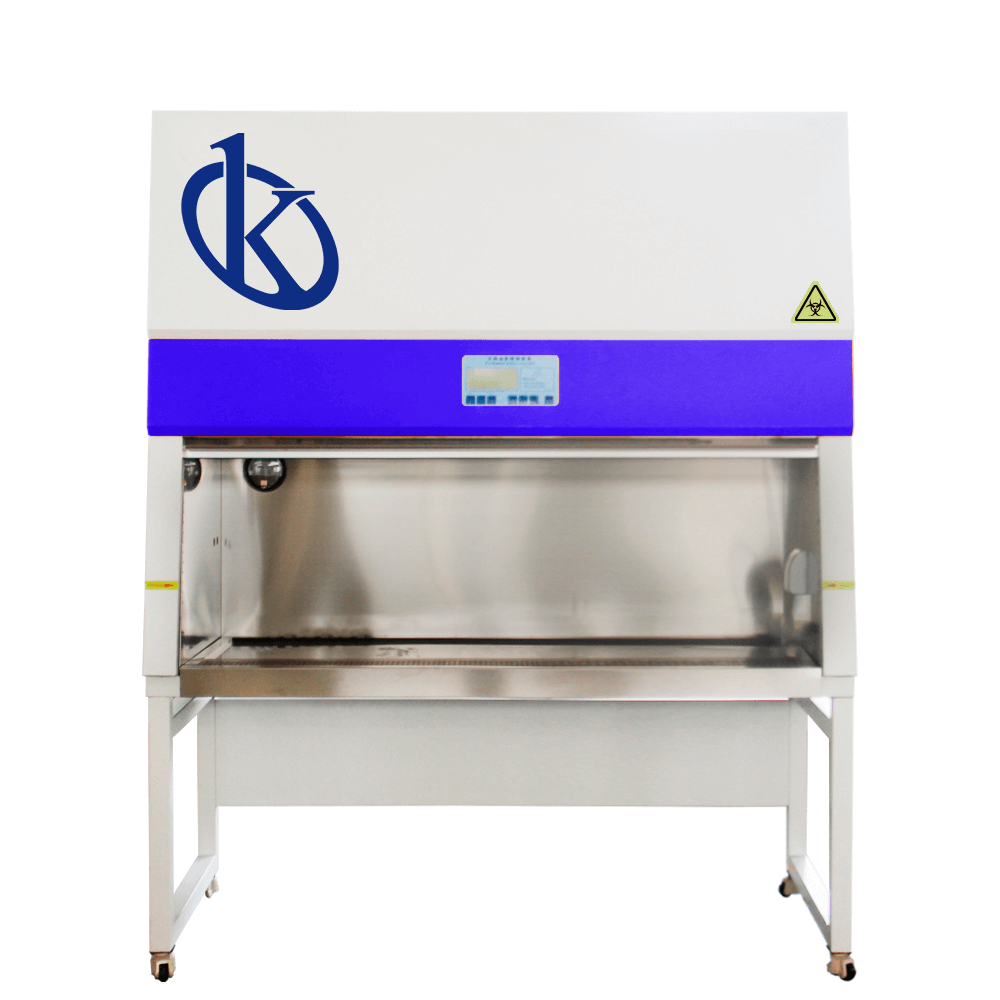
Troubleshooting Common Errors in the YR05704 Class II A2 Biosafety Cabinet
The YR05704 Class II A2 Biosafety Cabinet is essential for maintaining a sterile environment in laboratories by preventing contamination and ensuring operator safety. However, like any sophisticated equipment, it may present operational issues. This article focuses on common errors, their symptoms, probable causes, and solutions, helping operators maintain seamless functionality.
Understanding Common Errors
Errors in the YR05704 can arise from various factors, including user handling, environmental conditions, and equipment malfunctions. Understanding these can lead to quicker resolutions and less downtime. Below, we delve into specific symptoms and troubleshoot effectively.
Technical Data of YR05704
| Model | YR05704 |
|---|---|
| Cleaning Class | Class 100@≥0.5μm (US Federal 209E) |
| Number of Colonies | ≤0.5 pcs/plate·hour (Φ90 mm culture plate) |
| Average Wind Speed (Inside the Door) | 0.38±0.025 m/s |
| Noise | ≤65dB(A) |
| Voltage | Single-phase AC 220V/50Hz |
| Power Consumption | 400W |
| Weight | 170KG |
Common Symptoms and Solutions
Equipment Does Not Power On
This is a critical issue that can halt all laboratory operations.
- Probable Causes: Disconnected power supply, blown fuse, or malfunctioning power switch.
- Diagnostic Steps: Check power cable connections, inspect the fuse, and test the power switch functionality.
- Concrete Fixes: Replace the fuse if blown, ensure all connections are secure, and replace the power switch if defective.
Error Code E-03
Error code E-03 indicates that the airflow is not within the acceptable range.
- Probable Causes: Blocked filters, malfunctioning fan, or improper cabinet placement.
- Diagnostic Steps: Inspect and clean the filters, test the fan motor, and ensure the cabinet is level.
- Concrete Fixes: Replace filters if necessary and adjust the cabinet position to ensure proper airflow.
Inconsistent Airflow
Inconsistent airflow can compromise safety and cleanliness.
- Probable Causes: Filter blockage or fan issues.
- Diagnostic Steps: Measure airflow rates, check for obstructions, and assess fan operation.
- Concrete Fixes: Clean or replace filters and service the fan if it’s not operating correctly.
Symptom-Cause-Solution Matrix
| Symptom | Probable Cause | Solution |
|---|---|---|
| Equipment Does Not Power On | Disconnected power supply, blown fuse | Check connections, replace fuse |
| Error Code E-03 | Blocked filters, malfunctioning fan | Inspect/clean filters, test fan |
| Inconsistent Airflow | Filter blockage, fan issues | Clean/replace filters, service fan |
Frequently Asked Questions
What are the common symptoms indicating a problem with the YR05704?
Common symptoms include equipment not powering on, error codes appearing, and inconsistent airflow. Recognizing these early can help address issues before they escalate.
How can I prevent common errors in the YR05704?
Regular maintenance, such as cleaning filters, ensuring proper placement, and checking electrical connections can prevent many common errors associated with the YR05704.
Where can I find replacement parts for the YR05704?
Replacement parts can typically be sourced from authorized dealers and manufacturers. Ensure compatibility with the YR05704 to maintain its operational integrity.
What is the expected lifespan of the YR05704?
With proper maintenance, the YR05704 can have a lifespan of approximately 10-15 years. Regular servicing can extend its operational life significantly.
Are there specific protocols for cleaning the YR05704?
Yes, specific protocols involve using non-corrosive cleaning agents, ensuring that all surfaces are disinfected without damaging the materials of the cabinet.
What should I do if I encounter an error code I do not recognize?
Refer to the user manual for troubleshooting guidance or contact support for assistance in diagnosing and resolving unknown error codes.
How can I request a quote for the YR05704?
To request a quote for the YR05704, please reach out through our contact form or customer service channels provided on our site.
If you are looking for a fusion of innovation and quality, you have come to the right place. At Kalstein, we offer you the luxury of exploring our exclusive catalog of laboratory equipment. We manufacture every device to the highest standards of excellence. Our intuitive and seamless online purchasing channels are designed for your convenience, securing the most competitive prices. Hesitate no longer — we bring science to life, it is time to become part of our community.