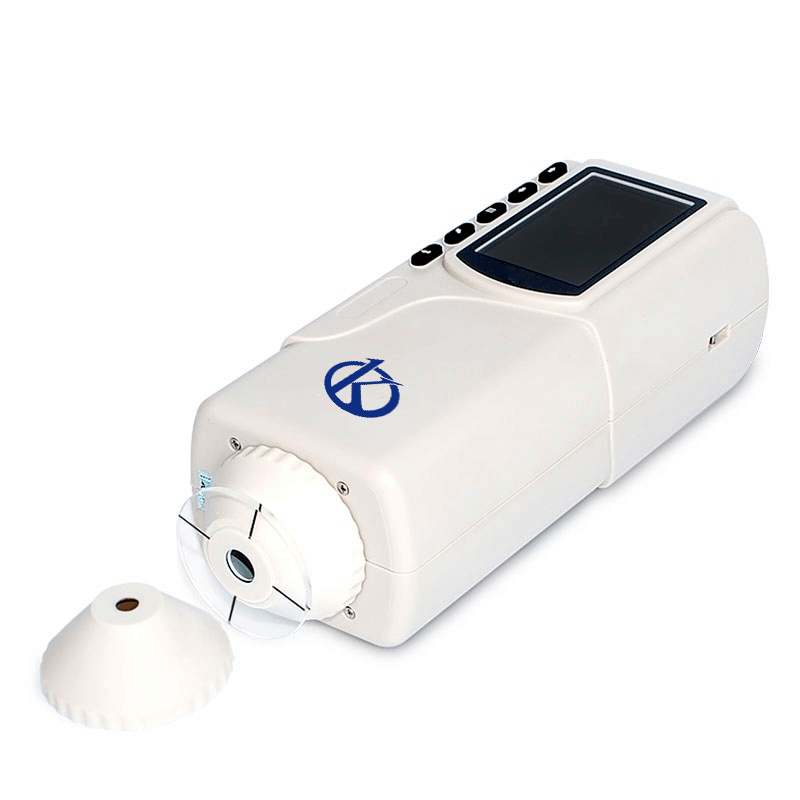
Installation and Commissioning Guide for the YR05511 Precision Colorimeter
The YR05511 Precision Colorimeter is designed to meet the diverse needs of various industries, providing exceptional accuracy and user-friendly features. This guide will delve deep into the steps necessary for installing and commissioning the YR05511, ensuring that users can maximize its capabilities and achieve reliable results.
Unboxing Checklist
Before beginning the installation process, it is essential to have a complete unboxing checklist. This ensures that all components are present and in good condition. The following items should be included in your YR05511 package:
- YR05511 Precision Colorimeter
- USB Cable
- Power Adapter
- User Manual
- Calibration Standards
- Carrying Case
Site Requirements for Installation
Proper installation of the YR05511 requires consideration of the site environment. The following conditions must be met:
- Temperature: 20°C to 25°C (68°F to 77°F)
- Humidity: 40% to 60%
- Power Supply: 100V-240V AC, 50/60Hz
- Ventilation: Adequate airflow to prevent overheating
Anchoring and Leveling the Device
To ensure accurate measurements, it is crucial to anchor and level the YR05511 correctly. Follow these steps:
- Place the colorimeter on a stable, flat surface.
- Use a leveling tool to ensure the device is perfectly horizontal.
- Secure the device if necessary to prevent movement during operation.
Power-Up Sequence
To power up the YR05511, follow these steps:
- Connect the power adapter to the device.
- Plug the adapter into a wall outlet.
- Press the power button located on the front panel.
First-Run Calibration
Calibration is essential for achieving accurate results with the YR05511. The following steps detail how to perform the initial calibration:
- Ensure the device is fully powered and stable.
- Access the calibration menu on the display.
- Follow the prompts to calibrate using the provided standards.
- Confirm successful calibration through the verification process.
Common Setup Mistakes to Avoid
Here are some common mistakes during the installation and commissioning process:
- Not leveling the device properly, which can lead to inaccurate results.
- Failing to calibrate before the first measurement.
- Using incorrect power supply specifications.
Technical Specifications of the YR05511
| Specification | Detail |
|---|---|
| Model | YR05511 |
| Illuminating/View Geometry | 45°/0° |
| Measurement Aperture | Φ8mm |
| Measurement Face | Large stable flat face and small concave-convex face |
| Detector | Silicon photoelectric diode |
| Color Space | CIEL*a*b*C*h*, CIEXYZ |
| Color Difference Formula | △E*ab, △L*a*b*, △E*C*h* |
| Light Source | D65 |
| Light Source Device | Blue LED light excitation |
| Errors Between Each Device | ≤0.80ΔE*ab |
| Storage Capacity | 100 standards, 20000 samples |
| Weight | 500g |
| Dimensions | 205×67×80mm |
| Power Supply | Rechargeable lithium-ion battery 3.7 V, 3200 mAh |
| Lamp Lifespan | 5 years, over 1.6 million measurements |
| Charging Time | First charge 8 hours: 100% power |
| PC Software | CQCS3 Software |
| Printer (Optional) | Mini thermal printer |
Frequently Asked Questions
What are the main features of the YR05511 Precision Colorimeter?
The YR05511 offers dual apertures, high precision measurements, integrated white plate parameters, and a rechargeable lithium-ion battery. It is ideal for various applications including plastics, textiles, and paint.
How do I perform a calibration check after installation?
Calibration checks can be performed by using the calibration menu on the device's display. You need to follow the prompts and use the provided standards to ensure accuracy before taking measurements.
What troubleshooting steps should I take if the device does not power on?
If the YR05511 does not power on, check the power connections, ensure the battery is charged, and inspect for any damage to the power adapter.
What is the expected lifespan of the YR05511?
The YR05511 has a lifespan of approximately 5 years, with the capability of taking over 1.6 million measurements before needing replacement.
What types of maintenance are required for the YR05511?
Routine maintenance includes regular cleaning of the optical components, calibration checks, and ensuring proper charging of the battery to extend its lifespan.
How can I request a quote for the YR05511?
You can request a quote for the YR05511 by contacting our sales team or visiting our dedicated website for quotes on laboratory equipment.
If you are looking for a fusion of innovation and quality, you have come to the right place. At Kalstein, we offer you the luxury of exploring our exclusive catalog of laboratory equipment. We manufacture every device to the highest standards of excellence. Our intuitive and seamless online purchasing channels are designed for your convenience, securing the most competitive prices. Hesitate no longer — we bring science to life, it is time to become part of our community.