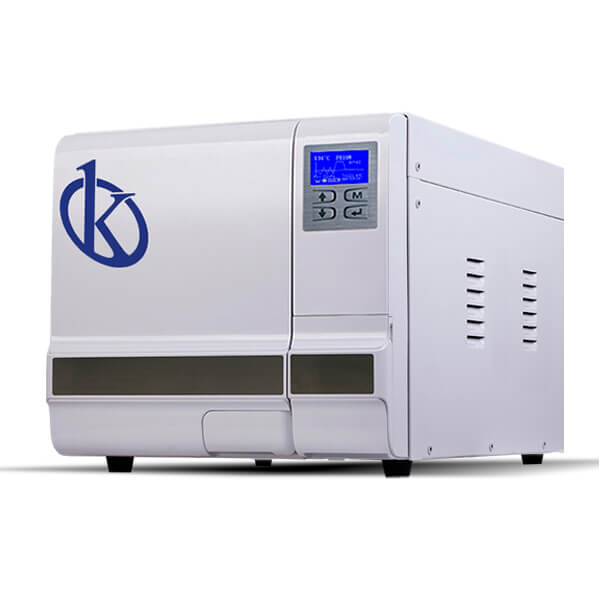
Common Errors and Troubleshooting Symptoms for the YR03387 Autoclave
The YR03387 autoclave is a sophisticated Class B table autoclave designed for various applications, including clinical labs, beauty salons, and veterinary practices. However, like any advanced equipment, it can experience operational issues. This article provides a comprehensive overview of common errors, potential symptoms, and troubleshooting methods specific to the YR03387 model.
Understanding the YR03387 Autoclave
The YR03387 is a fully automatic table-top autoclave that utilizes a triple fractionated pre-vacuum method to ensure effective sterilization. By controlling pressure and temperature precisely, the YR03387 guarantees reliable results. Its compact design makes it an ideal solution for small businesses, such as tattoo parlors and veterinary clinics.
Technical Specifications of YR03387
| Model | YR03387 |
|---|---|
| Chamber Dimensions | Φ170 x 320 mm |
| Chamber Volume | 8 Liters |
| Number of Trays | 2 / Max. 3 |
| Tray Material | Aluminum |
| Voltage Frequency | 220/110V, 50/60 Hz |
| Power | 1750w |
| Weight | 50 Kg |
Troubleshooting by Symptoms
Addressing issues with the YR03387 autoclave involves understanding its common symptoms and the potential causes behind them. Below are several common symptoms, their probable causes, and solutions.
Equipment Does Not Power On
One of the most concerning issues is when the autoclave does not power on. The probable causes include:
- Power supply issues
- Faulty power cable
- Internal fuse failure
To troubleshoot, check the power source and connections, inspect the power cable for damage, and replace the internal fuse if necessary.
Error Code E-03
This error code can indicate a water shortage in the tank. Here's how to address it:
- Check the water level indicator
- Refill the tank if necessary
- Inspect for any blockages in the water supply line
After checking these components, reset the autoclave and observe if the error persists.
Inconsistent Sterilization Results
If you notice inconsistent or unsatisfactory sterilization results, consider the following:
- Improper loading of items
- Incorrect cycle selection
- Faulty thermocouple
Ensure that items are loaded correctly according to manufacturer guidelines, select the proper cycle, and test the thermocouple for accuracy.
Symptom-Cause-Solution Table
| Symptom | Probable Cause | Solution |
|---|---|---|
| Equipment Does Not Power On | Power supply issues, faulty power cable, internal fuse failure | Check power source, inspect cable, replace internal fuse |
| Error Code E-03 | Water shortage | Check water level, refill tank, inspect water line |
| Inconsistent Sterilization Results | Improper loading, incorrect cycle, faulty thermocouple | Review loading methods, select correct cycle, test thermocouple |
Additional Common Errors
Aside from the symptoms mentioned, the YR03387 can display other common issues:
Display Shows "Low Water" Alarm
This alarm indicates that the water level is critically low. To resolve this, refill the water tank and ensure the supply line is functioning correctly.
Steam Leaks from the Door
If steam escapes from the door, it may indicate a faulty gasket. Inspect the door seal for wear or damage and replace it if needed.
Frequently Asked Questions
What maintenance steps are essential for the YR03387 autoclave?
Regular maintenance for the YR03387 includes daily cleaning of the chamber and door seals, periodic checks of the water supply and filtration system, and annual servicing by a qualified technician to ensure optimal performance.
How can I reset the YR03387 after an error occurs?
To reset the YR03387, simply turn off the machine, wait for a few seconds, and then turn it back on. This will clear temporary errors. For persistent issues, refer to troubleshooting guides.
What types of items can be sterilized using the YR03387?
The YR03387 can sterilize a variety of items, including surgical instruments, dental tools, and laboratory glassware. Ensure items are suitable for high-temperature steam sterilization.
Are there any specific environmental conditions required for the YR03387?
The YR03387 should operate in a controlled environment, free from extreme temperature fluctuations and humidity. Optimal conditions include a stable power supply and adequate ventilation.
What are the common causes of failure in the sterilization process?
Common causes of sterilization failure include improper loading, insufficient steam penetration, incorrect cycle selection, and equipment malfunction. Always conduct regular checks on equipment and follow the user manual for loading guidelines.
How often should I conduct a performance validation on the YR03387?
It is recommended to conduct a performance validation on the YR03387 at least once a month, or as per the regulatory requirements for your facility. This ensures that the autoclave is functioning correctly and providing effective sterilization.
Conclusion
Understanding common errors and troubleshooting steps for the YR03387 autoclave is crucial for maintaining its performance and longevity. Regular checks and timely interventions can help mitigate issues and ensure successful sterilization cycles.
If you are looking for a fusion of innovation and quality, you have come to the right place. At Kalstein, we offer you the luxury of exploring our exclusive catalog of laboratory equipment. We manufacture every device to the highest standards of excellence. Our intuitive and seamless online purchasing channels are designed for your convenience, securing the most competitive prices. Hesitate no longer — we bring science to life, it is time to become part of our community.