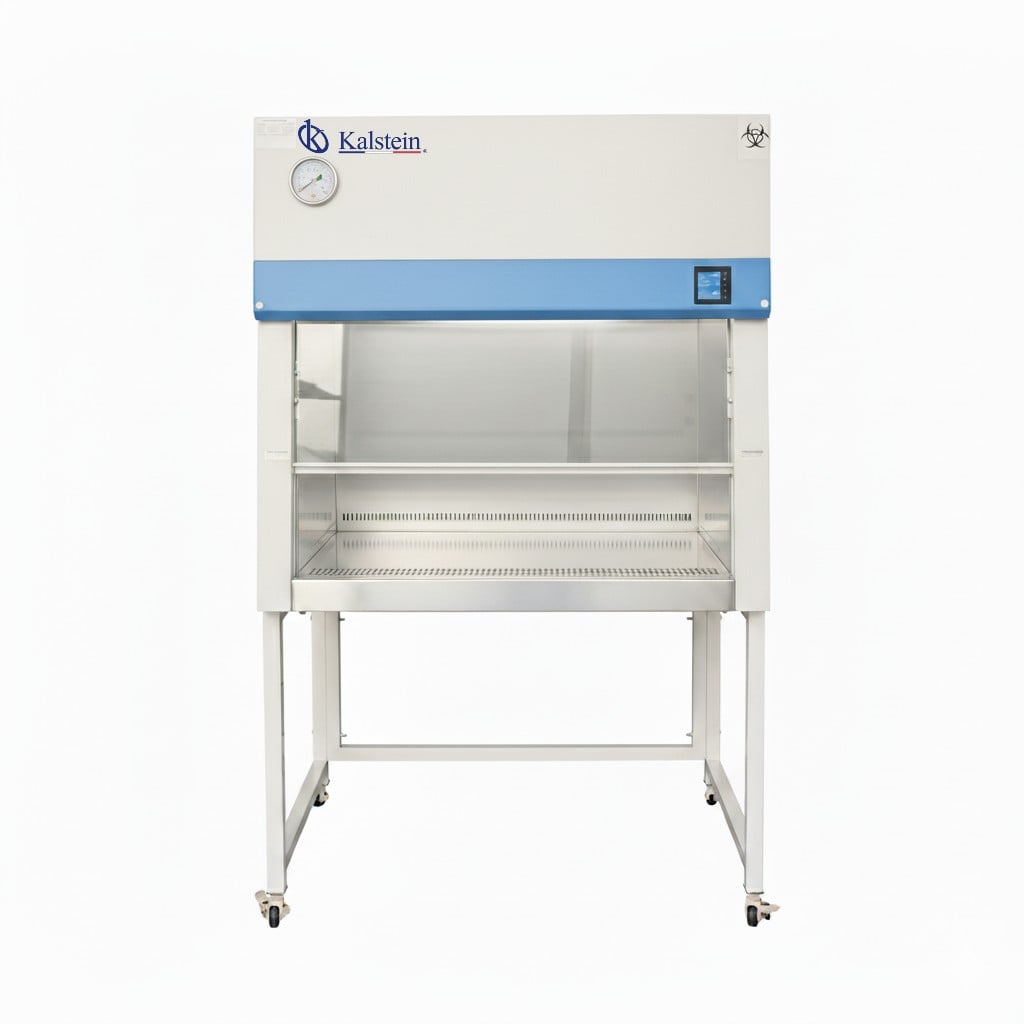
Common Errors and Troubleshooting Symptoms for the YR06542 Biological Safety Cabinet
The YR06542 Biological Safety Cabinet is a state-of-the-art solution designed to protect personnel, products, and the environment. However, like any complex piece of laboratory equipment, it may encounter issues that require troubleshooting. This article will explore common errors and their symptoms, equipping operators with the knowledge to address these challenges effectively.
Understanding the YR06542 Biological Safety Cabinet
The YR06542 model incorporates advanced technology to ensure a controlled environment for handling biological materials. It features a negative pressure system that prevents leaks, utilizing a principle of 70% internal circulation and 30% external discharge. The cabinet's high-quality cold-rolled steel construction and chemically resistant work surface ensure durability and ease of maintenance.
Technical Specifications of the YR06542
| Model | YR06542 |
|---|---|
| Size | 210 x 100 x 140 mm |
| Weight | 380 kg |
| Voltage | 220V/50HZ |
| Filtration | HEPA and ULPA filters |
| Airflow | 70% recirculation, 30% exhaust |
| Control Panel | Digital LCD control panel |
| Construction | Cold-rolled steel with epoxy coating |
Troubleshooting Symptoms
To facilitate effective troubleshooting, we have categorized common symptoms experienced with the YR06542 Biological Safety Cabinet.
1. Equipment Does Not Power On
When the cabinet fails to power on, it is crucial to check the following:
- Power Supply: Ensure the cabinet is plugged in and that the outlet functions properly.
- Circuit Breaker: Check if the circuit breaker has tripped.
- Internal Fuse: Inspect the internal fuse for any damages.
2. Error Code E-03 Displayed
Error code E-03 typically indicates a malfunction in the airflow system. Possible causes include:
- Blocked Filters: Inspect and replace HEPA or ULPA filters if they are dirty or clogged.
- Fan Malfunction: Verify that the fan is operational and free of obstructions.
- Calibration Needs: The airflow sensor may need recalibration.
3. Inconsistent Airflow Readings
If airflow readings fluctuate, consider the following troubleshooting steps:
- Check Ducting: Ensure there are no obstructions in the ducting.
- Inspect Fan Settings: Confirm that the fan speed settings match the operational requirements.
- Calibration: Recalibrate the airflow measurement system.
4. Unusual Noise During Operation
Abnormal noises can indicate mechanical issues. Investigate the following:
- Fan Bearings: Inspect for wear or damage to the fan bearings.
- Loose Components: Ensure all internal components are securely fastened.
- Vibration Isolation: Check if the cabinet is level and properly anchored to prevent vibrations.
5. Frequent Filter Replacement Alerts
If the cabinet frequently indicates that filters need replacing, follow these steps:
- Usage Analysis: Evaluate the cabinet usage frequency and the materials handled.
- Filter Quality: Ensure that compatible, high-quality filters are being used.
- Maintenance Schedule: Adjust your maintenance schedule based on usage conditions.
Symptom to Cause to Solution Table
| Symptom | Possible Cause | Solution |
|---|---|---|
| Equipment Does Not Power On | Power supply issue | Check outlet, circuit breaker, and internal fuse |
| Error Code E-03 | Airflow system malfunction | Inspect filters and fan operation |
| Inconsistent Airflow | Duct obstructions or calibration issues | Clear ducting and recalibrate |
| Unusual Noise | Mechanical issues | Check fan bearings and secure components |
| Frequent Filter Alerts | High usage or low-quality filters | Reassess filter quality and maintenance |
Frequently Asked Questions
What should I do if the YR06542 cabinet does not power on?
If the equipment fails to power on, first check the power supply, circuit breaker, and internal fuse for potential issues. Ensure that the outlet is functioning properly.
How can I resolve error code E-03 on the YR06542?
Error code E-03 indicates a malfunction in the airflow system. Check the filters for blockages, ensure the fan is operational, and verify that the airflow sensor is calibrated correctly.
What are the possible causes of inconsistent airflow readings?
Inconsistent airflow readings can arise from blockages in the ducting, incorrect fan settings, or the need for recalibration of the airflow measurement system.
What maintenance is recommended for the YR06542 cabinet?
Regular maintenance should include checking and replacing filters, inspecting fan operation, ensuring proper calibration, and verifying that all components are securely fastened.
How often should I replace the filters in the YR06542 Biological Safety Cabinet?
Filter replacement frequency can vary based on usage conditions. Regular monitoring and following a maintenance schedule based on handling materials will help determine the appropriate intervals.
Is there a specific environment required for the YR06542 to operate optimally?
The YR06542 operates best in environments where the temperature is maintained between 10-30°C and relative humidity stays below 70%. Proper ventilation and stable conditions are crucial for optimal performance.
Conclusion
Troubleshooting the YR06542 Biological Safety Cabinet is essential for maintaining a safe and efficient laboratory environment. By understanding the common errors and practical solutions outlined in this guide, operators can ensure the cabinet functions optimally, safeguarding both personnel and products.
For further assistance, do not hesitate to request a quote on Kalstein Plus. If you are looking for a fusion of innovation and quality, you have come to the right place. At Kalstein, we offer you the luxury of exploring our exclusive catalog of laboratory equipment. We manufacture every device to the highest standards of excellence. Our intuitive and seamless online purchasing channels are designed for your convenience, securing the most competitive prices. Hesitate no longer — we bring science to life, it is time to become part of our community.