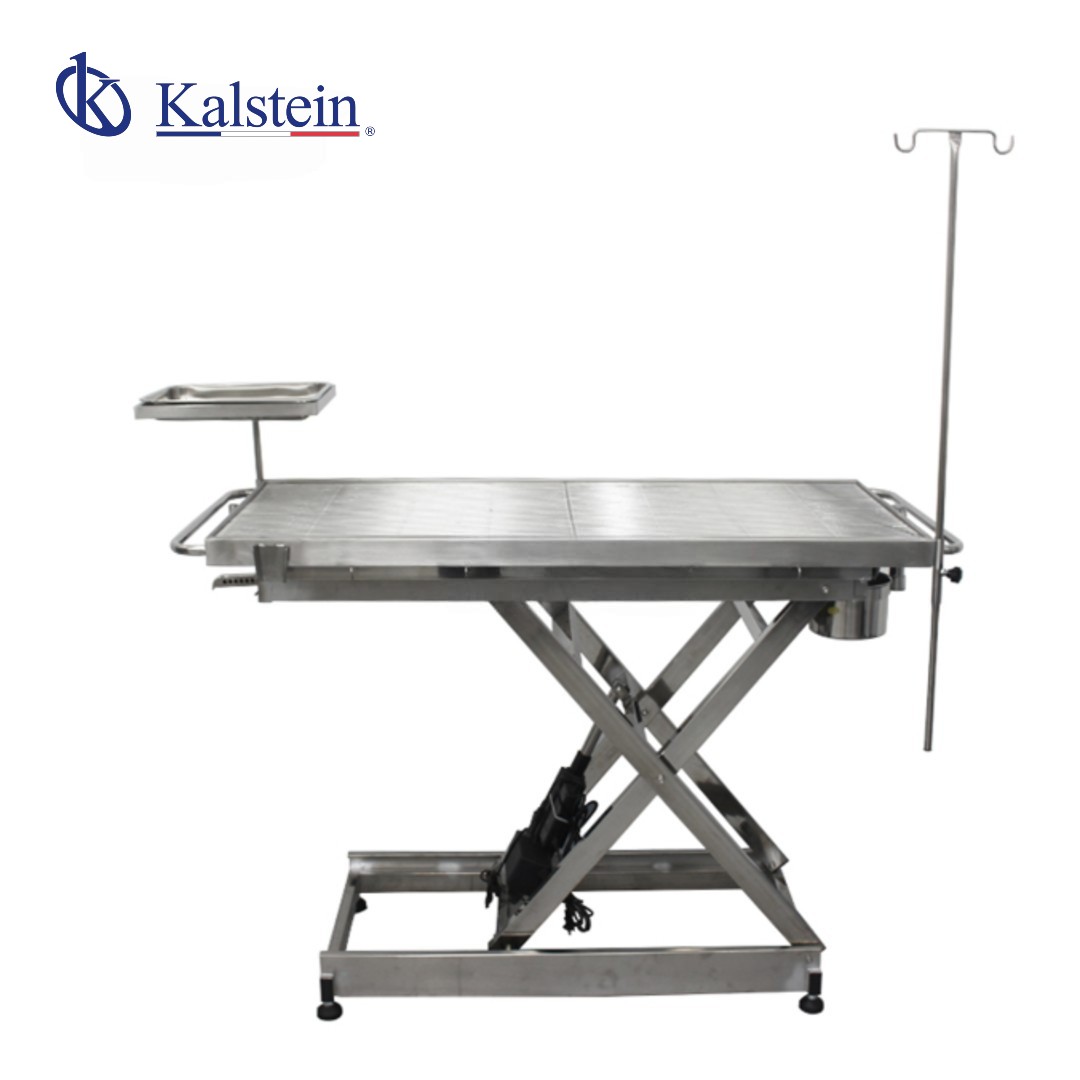
Common Errors and Troubleshooting by Symptom for the YR06694 Veterinary Operating Table
The YR06694 Veterinary Operating Table is designed for high-end surgical work in veterinary clinics. However, like any specialized medical equipment, it may encounter issues that require troubleshooting. This article focuses on common errors associated with the YR06694 model and provides actionable insights to address these problems effectively.
Technical Specifications of the YR06694
Parameter | Features |
Model | YR06694 |
Surface Material | High-quality Stainless Steel 304 |
Temperature Range | 0 - 60 °C (Adjustable with automatic thermostat) |
Elevation Range | 450 mm - 1000 mm (Touch adjustment) |
Table Type | V-type operating table |
Mesh Configuration | Mobile (Selectable flat or arch) |
Safety Systems | Leakage and high temperature protection |
Durability | Corrosion-resistant, acid-resistant, and oxidation-proof |
Packaging Dimensions | 158 x 69 x 55 cm |
Net Weight (N.W) | 90 kg |
Gross Weight (G.W) | 115 kg |
Troubleshooting Symptoms
Understanding the common symptoms that may arise with the YR06694 will enable users to resolve issues swiftly. Below, we categorize troubleshooting based on specific symptoms.
1. The Equipment Does Not Power On
One of the most concerning symptoms is when the table does not power up at all. This can disrupt surgical procedures and cause delays. Here are some probable causes and their solutions:
- Probable Causes:
- Power supply issue.
- Faulty wiring or connections.
- Malfunctioning internal components.
- Diagnostic Steps:
- Check if the power cable is properly connected and not damaged.
- Ensure that the power outlet is functional.
- Inspect the internal wiring for any visible damage.
- Concrete Fixes:
- Replace the power cable if damaged.
- Test the outlet with another device.
- Consult a qualified technician for internal repairs.
2. Error Code Displayed on the Interface
Error codes can provide critical information about what may be wrong with the operating table. Here’s how to go about it:
- Probable Causes:
- Calibration errors.
- Sensor malfunction.
- Diagnostic Steps:
- Refer to the user manual for error code definitions.
- Perform a complete system reset.
- Concrete Fixes:
- Recalibrate the table following the manual instructions.
- Replace any malfunctioning sensors as indicated by the error code.
3. Inconsistent Temperature Readings
Temperature management is critical during surgical procedures. If the table displays inconsistent thermal readings, follow these guidelines:
- Probable Causes:
- Faulty thermostat.
- External temperature interference.
- Diagnostic Steps:
- Compare readings with an external thermometer.
- Inspect the thermostat settings.
- Concrete Fixes:
- Replace the thermostat if faulty.
- Ensure that the table is not placed near drafts or heat sources.
Symptom-Cause-Solution Matrix
| Symptom | Probable Cause | Solution |
|---|---|---|
| Equipment does not power on | Power supply issue | Check connections and replace damaged cables |
| Error code displayed | Calibration errors | Refer to manual and recalibrate |
| Inconsistent temperature readings | Faulty thermostat | Replace thermostat if necessary |
| Table height not adjusting | Malfunctioning elevation system | Inspect and repair hydraulic system as needed |
| Surface overheating | High temperature protection malfunction | Inspect safety systems and reset |
Frequently Asked Questions
How can I adjust the temperature on the YR06694 Veterinary Operating Table?
The YR06694 features an intuitive control panel that allows users to set the desired temperature easily. After adjustments, the system automatically maintains the set temperature.
What is the maximum height of the YR06694 when fully elevated?
The maximum elevation of the YR06694 is 1000 mm, ensuring that the table remains stable even at this height due to its solid construction.
Is the heating surface safe for direct contact?
Yes, the heating surface of the YR06694 is designed for safety. It has built-in protection against overheating, but it is still recommended to use surgical drapes or protectors.
What type of maintenance does the YR06694 require?
Regular cleaning with suitable stainless steel cleaners and periodic checks on the hydraulic systems and electrical components are recommended to maintain optimal performance.
Can the YR06694 operate without a continuous power supply?
The YR06694 depends on an electrical connection for its thermostat and elevation functions, making it essential to connect to a reliable power source during operations.
What are the best practices for cleaning the YR06694?
To clean the YR06694, use non-corrosive cleaning solutions that do not damage the stainless steel surface. Always ensure that the table is turned off and unplugged before cleaning.
Conclusion
By understanding the common errors and troubleshooting techniques for the YR06694 Veterinary Operating Table, users can ensure a smooth operation and enhance their work efficiency. For any needs related to the YR06694, do not hesitate to request a quote from Kalstein Plus.
If you are looking for a fusion of innovation and quality, you have come to the right place. At Kalstein, we offer you the luxury of exploring our exclusive catalog of laboratory equipment. We manufacture every device to the highest standards of excellence. Our intuitive and seamless online purchasing channels are designed for your convenience, securing the most competitive prices. Hesitate no longer — we bring science to life, it is time to become part of our community.